
Agreement(s) and Legal Policy(ies)
Please use the above menu (black/white) to navigate the Right 360 policies.
These documents were last updated on January 1, 2022.




Please use the above menu (black/white) to navigate the Right 360 policies.
These documents were last updated on January 1, 2022.

The following Instructions are intended for the Chrome Browser.
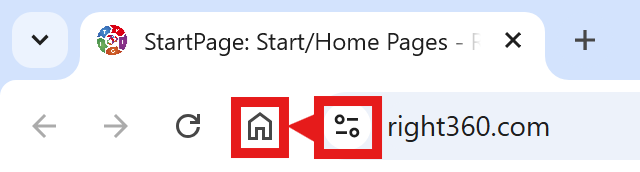
CAVEAT: Many browsers are hiding this option to keep you on their chosen site. The Video will cover how to get your Homepage Button/Icon back.
With the Chrome Browser Open, perform the following: