Browser Startup Page

MAGA Start Pages

Welcome to your new Browser Startup Page!

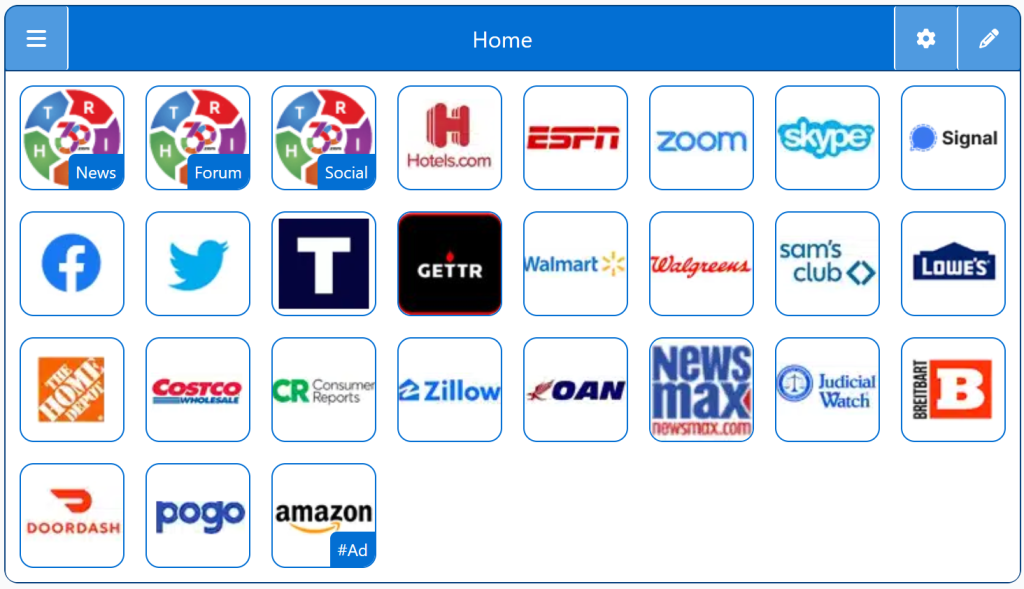
A Browser Startup Page lets users control what appears when they open their browser, offering a customizable alternative to default homepages filled with ads and distractions. This StartPage provides a fast, organized dashboard that loads instantly and keeps essential links and tools within easy reach.

Free Start Pages

StartPage:

Browser Startup Page

🚀 A Browser Startup Page is the first thing you see when launching your web browser—so why not make it work for you? By customizing your startup page, you can create a productive, personalized hub that fuels efficient browsing and keeps your top tools within reach.

🎯 Whether you’re streamlining research, staying up-to-date with live news feeds, or accessing favorite bookmarks, a tailored startup page lets you skip the clutter and dive into your digital routine faster. Many users choose feature-rich startup pages that offer search bars, daily quotes, weather updates, to-do lists, and visually appealing layouts.

🔧 Replacing your browser’s default startup page with a customized one not only enhances your workflow but also boosts performance and reduces distractions. For businesses, optimized startup pages improve employee focus and speed.

Ready to transform your online experience? A well-designed browser startup page makes every session more efficient, intuitive, and uniquely yours. It’s the smart way to start browsing!

Browser Startup Pages

Top 1% Web Sites

Browser First Page

Browser Startup Page Replacement

HomePage Replacement

Customizable/Sharable

A Living Network of Stunning Sources

You are a part of something big; when users, just like you, find stunning sites, the cream of the crop, they suggest it for inclusion to our conservative database.  The top 1% of sites, for each category, is added to our database for inclusion to your Browser StartPage.

Rated 5 out of 5

Right360 offers a conservative-focused browser startup page with curated links, news, and forums. It’s ideal for users seeking a personalized, distraction-free homepage. A browser startup page boosts efficiency by centralizing tools, updates, and favorite sites for faster navigation.

Jackson Cole
Rated 5 out of 5

Right360 delivers a conservative-focused browser startup page with curated news, forums, and resources. It’s ideal for users seeking a personalized, distraction-free homepage. A browser startup page enhances productivity by centralizing bookmarks, tools, and updates—streamlining your workflow and making each browsing session more efficient and tailored to your interests.


Savannah Blake

Trusted by 16,000+ Users @ Month

Being Right has never been so easy!

For Conservatives, Constitutionalists, Family, Independents, Libertarians, Moderates, Patriots, and all those who want to be Right.

Free Start Pages

StartPage - MAGA Start Pages
Demo/Example

Chrome: Set HomePage/StartPage

The following Instructions are intended for the Chrome Browser.

Chrome Quick Set

Chrome-Drag-URL-to-Home-Icon
  1. Drag/Drop

CAVEAT: Many browsers are hiding this option to keep you on their chosen site. The Video will cover how to get your Homepage Button/Icon back.

Chrome Video

Chrome Step-by-Step

With the Chrome Browser Open, perform the following:

  1. Upper Right Corner, Find/Select the Options Button/Icon (3-dots),  Slide down to Find/Select “Settings“.
  2. On the left menu, select “Appearance”.  Toggle the “Show home button”. In the “Open a specific page or set of pages”. Click “Add a new page” and enter: Right360.com or enter your customized Right360.com/URL. Click Save.