Browser StartPage Replacement

MAGA Start Pages

Welcome to your new Browser StartPage!

A StartPage replacement enhances browsing with faster load times, cleaner design, and personalized features. It improves privacy by limiting trackers, while offering quick access to bookmarks, apps, and search tools. Users gain control over layout, themes, and productivity widgets—transforming a dull default into a helpful digital launchpad.

Free Start Pages

StartPage:

Browser StartPage Replacement

🧭 Looking to enhance your browsing experience from the moment you launch your browser? A Browser StartPage Replacement is the perfect upgrade for users seeking speed, personalization, and improved functionality. Instead of settling for default start pages cluttered with ads or irrelevant news, a custom start page offers intuitive design, faster load times, and tools tailored to your interests.

🔍 Optimize your productivity with integrated search, bookmarks, weather updates, to-do lists, and curated news—all on a clean, distraction-free interface. Whether you’re a student, professional, or casual user, a browser start page replacement helps you navigate the web more efficiently and stay focused on what matters.

📈 SEO-friendly and customizable options ensure that your homepage is not only functional but visually appealing. Gain better control over your digital environment, reduce unnecessary clicks, and enjoy a seamless browsing experience that starts with YOU in mind.

Ready for a smarter start? It’s time to upgrade your browser’s welcome mat.

Broswer Startpage

Top 1% Web Sites

Browser First Page

StartPage Replacement

HomePage Replacement

Customizable/Sharable

A Living Network of Stunning Sources

You are a part of something big; when users, just like you, find stunning sites, the cream of the crop, they suggest it for inclusion to our conservative database.  The top 1% of sites, for each category, is added to our database for inclusion to your Browser StartPage.

Rated 5 out of 5

Right360 offers a conservative-focused browser startpage replacement with curated news, forums, and resources. It’s ideal for users seeking a personalized, distraction-free homepage. Replacing your default startpage boosts productivity by centralizing bookmarks, tools, and updates—streamlining navigation and creating a more efficient, tailored browsing experience from the moment you launch.

Brody West
Rated 5 out of 5

Right360 provides a conservative-themed browser startpage replacement with curated news, forums, and resources. It’s ideal for users seeking a personalized, clutter-free homepage. Replacing your default startpage boosts efficiency by centralizing bookmarks, tools, and updates—streamlining navigation and enhancing your overall browsing experience.


Harper Quinn

Trusted by 16,000+ Users @ Month

Browser StartPage Replacement
All-in-One Platforms

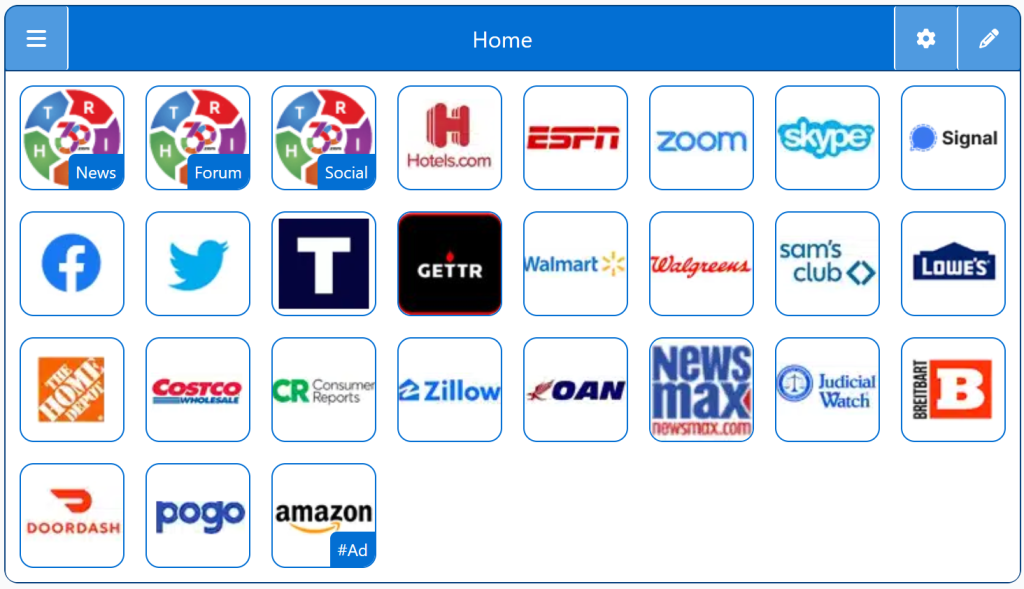
Homepage Startup Pages: Consolidated News and Social Feeds, Forums

StartPage - MAGA Start Pages
Right360 Logo

Being Right has never been so easy!

For Conservatives, Constitutionalists, Family, Independents, Libertarians, Moderates, Patriots, and all those who want to be Right.

Free Start Pages

StartPage - MAGA Start Pages
Demo/Example

Chrome: Set HomePage/StartPage

The following Instructions are intended for the Chrome Browser.

Chrome Quick Set

Chrome-Drag-URL-to-Home-Icon
  1. Drag/Drop

CAVEAT: Many browsers are hiding this option to keep you on their chosen site. The Video will cover how to get your Homepage Button/Icon back.

Chrome Video

Chrome Step-by-Step

With the Chrome Browser Open, perform the following:

  1. Upper Right Corner, Find/Select the Options Button/Icon (3-dots),  Slide down to Find/Select “Settings“.
  2. On the left menu, select “Appearance”.  Toggle the “Show home button”. In the “Open a specific page or set of pages”. Click “Add a new page” and enter: Right360.com or enter your customized Right360.com/URL. Click Save.