
Most Popular Conservative Websites
Welcome to the Best Rated and Most Popular (Top-50/Top-100) Conservative Websites!
Most Popular Conservative Websites highlights the high‑traffic destinations that attract large conservative audiences. This page focuses on widely recognized sites known for news coverage, commentary, and cultural discussion.
Free Start Pages
Conservative Websites:










Conservative Top Websites
Discover the Best Rated and Most Popular Conservative Websites with Right360 StartPage
Right360 StartPage offers a powerful gateway to the Most Popular Conservative Websites, delivering a curated experience for users who value traditional principles, limited government, and free-market ideals. Whether you’re browsing the Top-50, Top-100, or even the Top-300 Conservative Websites, Right360 ensures fast access to trusted news, commentary, and cultural insights.
Why Right360’s Conservative StartPage Stands Out
Tailored Content: Users enjoy streamlined access to the Best Rated Conservative Websites, aligning with their values and boosting engagement.
Balanced Media Consumption: Exposure to diverse viewpoints encourages critical thinking and counters mainstream media bias.
Customizable Layouts: Organize your favorite Top Conservative Websites for easy navigation and daily updates.
Advertiser Appeal: Brands targeting right-leaning audiences benefit from precision marketing across high-traffic conservative platforms.
Commitment to Inclusion: By featuring the Most Popular Conservative Websites, Right360 promotes ideological diversity and user empowerment.
From news hubs like The Federalist and Daily Wire to commentary platforms like PragerU and Campus Reform, Right360 StartPage is your launchpad to the Top Conservative Websites shaping today’s political and cultural landscape.
Most Popular Conservatives
Top 1% Conservative Sites
Top 50, 100, 200, 300 Conservatives
Most Popular Conservative Websites
Conservative Links/Sites
Customizable/Sharable
A Living Network of Stunning Sources
You are a part of something big; when users, just like you, find stunning Conservative sites, the cream of the crop, they suggest it for inclusion to our database. The top 1% of Conservative Websites, for each Conservative category, is added to our database for others to use.
Right360’s lineup of the Best Rated and Most Popular Conservative Websites is unmatched. From the Top-50 to the Top-300, it delivers a curated hub of news, resources, and commentary rooted in conservative values. Users stay informed and engaged with trusted platforms that reflect their principles. A must-visit for patriotic, right-leaning audiences.
Right360’s focus on showcasing the Best Rated and Most Popular Conservative Websites is exceptional. With a curated selection spanning the Top-50 to Top-300 conservative platforms, users gain instant access to trusted news, commentary, and resources that reflect their values. It’s a go-to hub for staying informed, inspired, and connected with the conservative movement.
Trusted by 16,000+ Users @ Month
Conservative Websites
All-in-One Platforms
Conservative Websites, Consolidated News/Social Feeds, Forums
- Conservative
- Conservative AI Tools
- Conservative Alternatives to Google
- Conservative Cloud Storage
- Conservative Email Providers
- Conservative HomePages
- Conservative Messaging Apps
- Conservative News Aggregators
- Conservative News Sites
- Conservative Online Games
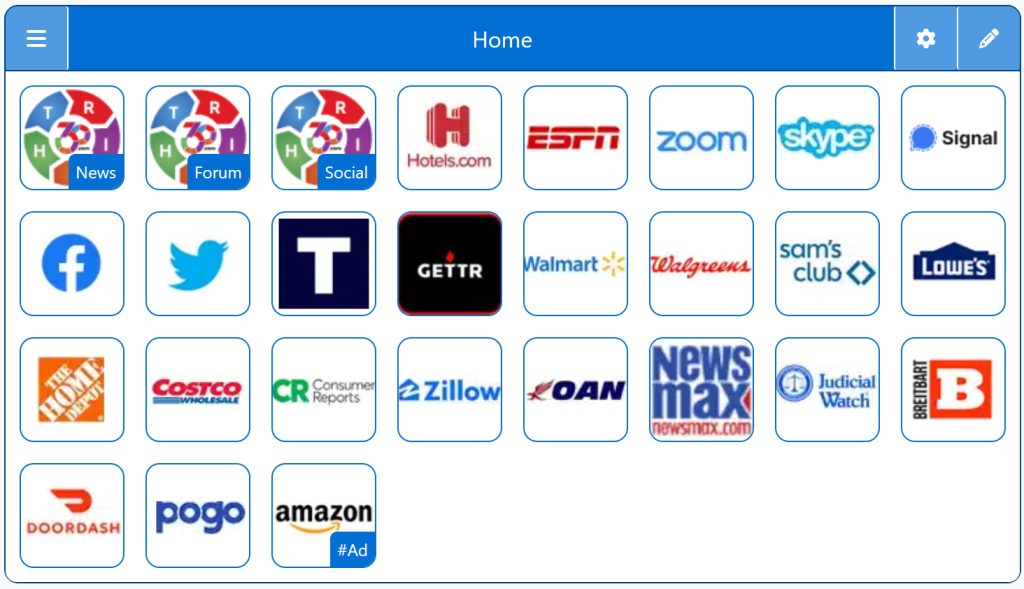

Being Right has never been so easy!
For Conservatives, Constitutionalists, Family, Independents, Libertarians, Moderates, Patriots, and all those who want to be Right.
Free Start Pages
