StartPage for Firefox

MAGA Start Pages

Welcome to your Firefox StartPage!

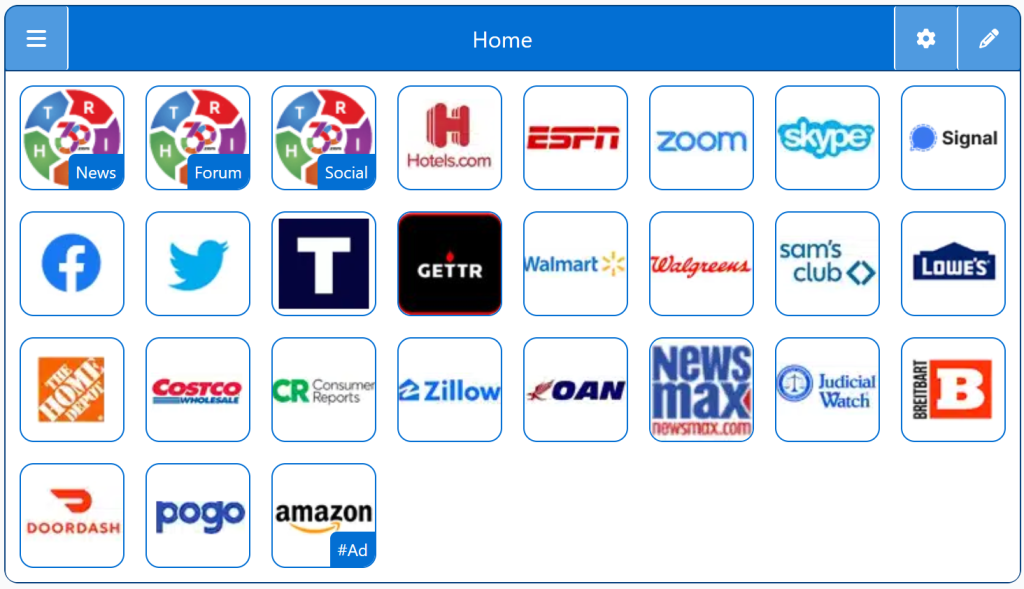
StartPage for Firefox provides a privacy‑friendly homepage designed for Firefox users who want a clean, customizable dashboard. This StartPage replaces Firefox’s default layout with a fast, organized tile system that avoids ads and tracking.

Free Start Pages

StartPage:

StartPage for Firefox

Your StartPage can be customized to use Firefox as your Browser Start Page.

These sites provide a platform for like-minded individuals to stay informed about the latest developments, engage in discussions, and share their views.

Personalized Firefox StartPage

Top 1% Web Sites

Firefox Search Engine

Conservative Sources

Personalize Firefox Browser

Customizable/Sharable

A Living Network of Stunning Sources

You are a part of something big; when users, just like you, find stunning sites, the cream of the crop, they suggest it for inclusion to our conservative database.  The top 1% of sites, for each category, is added to our database for inclusion to your Homepage Startup Page.

Rated 5 out of 5

Right360 aggregates top conservative sites into a personalized homepage. It ensures quick access to reliable conservative viewpoints, saves time, and promotes informed discussions. Its user-friendly design and customization options make staying updated effortless, fostering a community of well-informed individuals.

David Johnson
Rated 5 out of 5

Firefox Pages brings together top conservative news sources, making it easy to stay updated. With its user-friendly design and customization options, users can quickly access relevant updates. It fosters a community of well-informed conservatives, encouraging insightful discussions and a balanced view of current events. A must-have for conservatives!


Sarah Mitchell

Trusted by 16,000+ Users @ Month

Being Right has never been so easy!

For Conservatives, Constitutionalists, Family, Independents, Libertarians, Moderates, Patriots, and all those who want to be Right.

Free Start Pages

StartPage - MAGA Start Pages
Demo/Example

Chrome: Set HomePage/StartPage

The following Instructions are intended for the Chrome Browser.

Chrome Quick Set

Chrome-Drag-URL-to-Home-Icon
  1. Drag/Drop

CAVEAT: Many browsers are hiding this option to keep you on their chosen site. The Video will cover how to get your Homepage Button/Icon back.

Chrome Video

Chrome Step-by-Step

With the Chrome Browser Open, perform the following:

  1. Upper Right Corner, Find/Select the Options Button/Icon (3-dots),  Slide down to Find/Select “Settings“.
  2. On the left menu, select “Appearance”.  Toggle the “Show home button”. In the “Open a specific page or set of pages”. Click “Add a new page” and enter: Right360.com or enter your customized Right360.com/URL. Click Save.