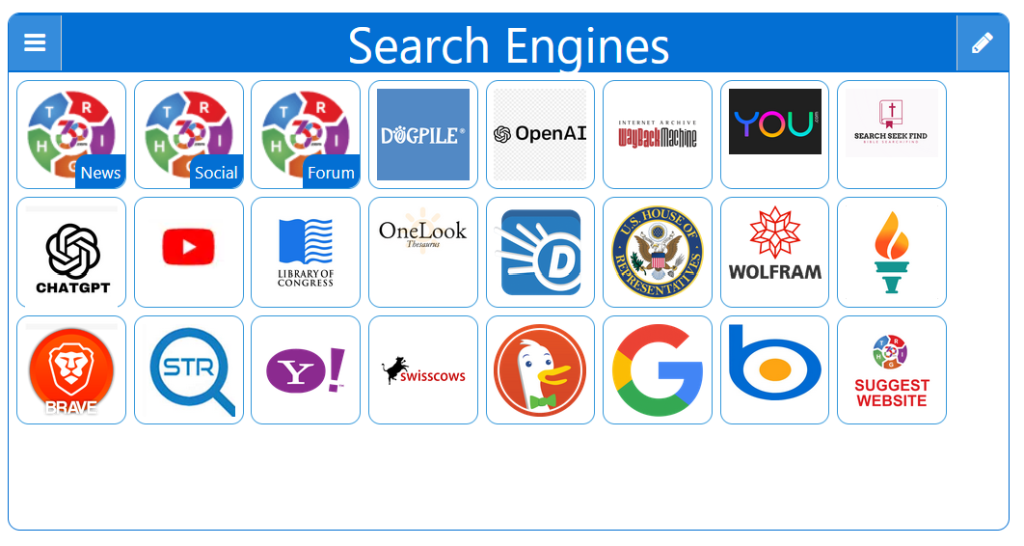
Some searches require privacy, others require accuracy, and others require independence. This page brings multiple search engines together in one place so you can switch instantly based on your needs. Whether you want Google‑level depth, Brave’s independence, or Startpage’s privacy, this multi‑engine layout gives you the flexibility to choose the right tool for every search.
The Right360 StartPage offers users a unique advantage by providing access to multiple search engines from a single, convenient platform. This feature significantly enhances the overall search experience and brings several notable benefits.
First, it ensures comprehensive search results. Different search engines prioritize and present information in varied ways due to differences in their algorithms. By using multiple search engines, users can gain a broader perspective and access a wider array of information and viewpoints that might be missed if relying on just one source.
Second, it boosts efficiency and convenience. Users no longer need to switch between different search engines to compare results; instead, they can view and analyze them side-by-side on one page. This seamless integration saves valuable time and effort, streamlining the research process and making it more effective.
Third, it enhances the reliability and accuracy of information. Cross-referencing results from multiple search engines allows users to verify data more effectively and reduces the risk of relying on biased or inaccurate sources. This diversity in sources contributes to a more balanced and trustworthy outcome.
Lastly, it caters to individual preferences and needs. Users may have specific search engines they prefer for certain types of queries. The Right360 StartPage allows them to customize their search experience, ensuring they find the most relevant and useful information quickly.
Personalized StartPage
Top 1% Web Sites
MULTIPLE SEARCH ENGINES
Conservative Sources
StartPage Links/Sites
Customizable/Sharable
A Living Network of Stunning Sources
You are a part of something big; when users, just like you, find stunning sites, the cream of the crop, they suggest it for inclusion to our Search Engine database. The top 1% of sites, for each category, is added to our Search Engine for inclusion to your StartPage.
Right360’s multiple search engine access on one page is a game-changer! It offers comprehensive results, improves efficiency by saving time, enhances accuracy through cross-referencing, and caters to diverse user preferences. It’s a convenient, reliable, and user-friendly tool for an enriched search experience.
Jordan Carter
★★★★★Rated 5 out of 5
Right360’s multi-search engine access is a fantastic tool! It delivers diverse and comprehensive results, saves users time by consolidating searches, enhances reliability through varied sources, and offers a tailored search experience. A must-have for anyone looking to optimize their online research.
This browser wasn't detected. The following Instructions are intended for the Firefox Browser... maybe your browser has similar steps.
Mobile Quick Set
Drag/Drop
CAVEAT: Many browsers are hiding this option to keep you on their chosen site. The Video will cover how to get your Homepage Button/Icon back.
Mobile Video
Mobile Step-by-Step
With the Firefox Browser Open, perform the following:
Upper Right Corner, Find/Select the Hamburger Menu Icon (3-lines), Slide down to Find/Select “Settings“.
In the left column, select “Home”, then on the right, select “New Windows and Tabs”. Select “Custom URLs…” and enter: Right360.com or enter your customized Right360.com/URL. Click Save.